For the best Top Hat experience, use a supported, up-to-date web browser like Google Chrome or Mozilla Firefox. Ensuring browser compatibility prevents technical issues and enables full access to course materials, assessments, and interactive features.
This guide outlines supported browsers for Top Hat, how to check and update your browser version, and how to use the Top Hat mobile app for iOS and Android. It also includes troubleshooting tips and device recommendations to help both students and educators optimize their learning experience.
Table of Contents
- Web Browser (Laptop or Computer)
- Checking Your Browser Version and Updating
- Google Chrome
- Safari
- Top Hat App (iOS and Android)
- Unsupported Devices and Mobile Web Browsers
Web Browsers
We recommend using Google Chrome or Mozilla Firefox to access Top Hat.
 Image: Application Logos for Google Chrome and Mozilla Firefox
Other Supported Browsers:
- Apple Safari
- Microsoft Edge
Top Hat is supported on the three latest major versions of the listed web browsers.
Related Articles
Checking and Updating Your Browser Version
Google Chrome
Normally updates happen in the background when you close and reopen your computer's browser. But if you haven't closed your browser in a while, you might find a pending update:
- On your computer, open Chrome.
- At the top right, select More (three dots) > Help > About Google Chrome.
- Select Relaunch.
Note: If you can't find the "Relaunch" option, you are on the latest version.
Tip: The browser saves your opened tabs and windows and reopens them automatically when it restarts. Your Incognito windows will not reopen. If you don't want to restart right away, select Not now.
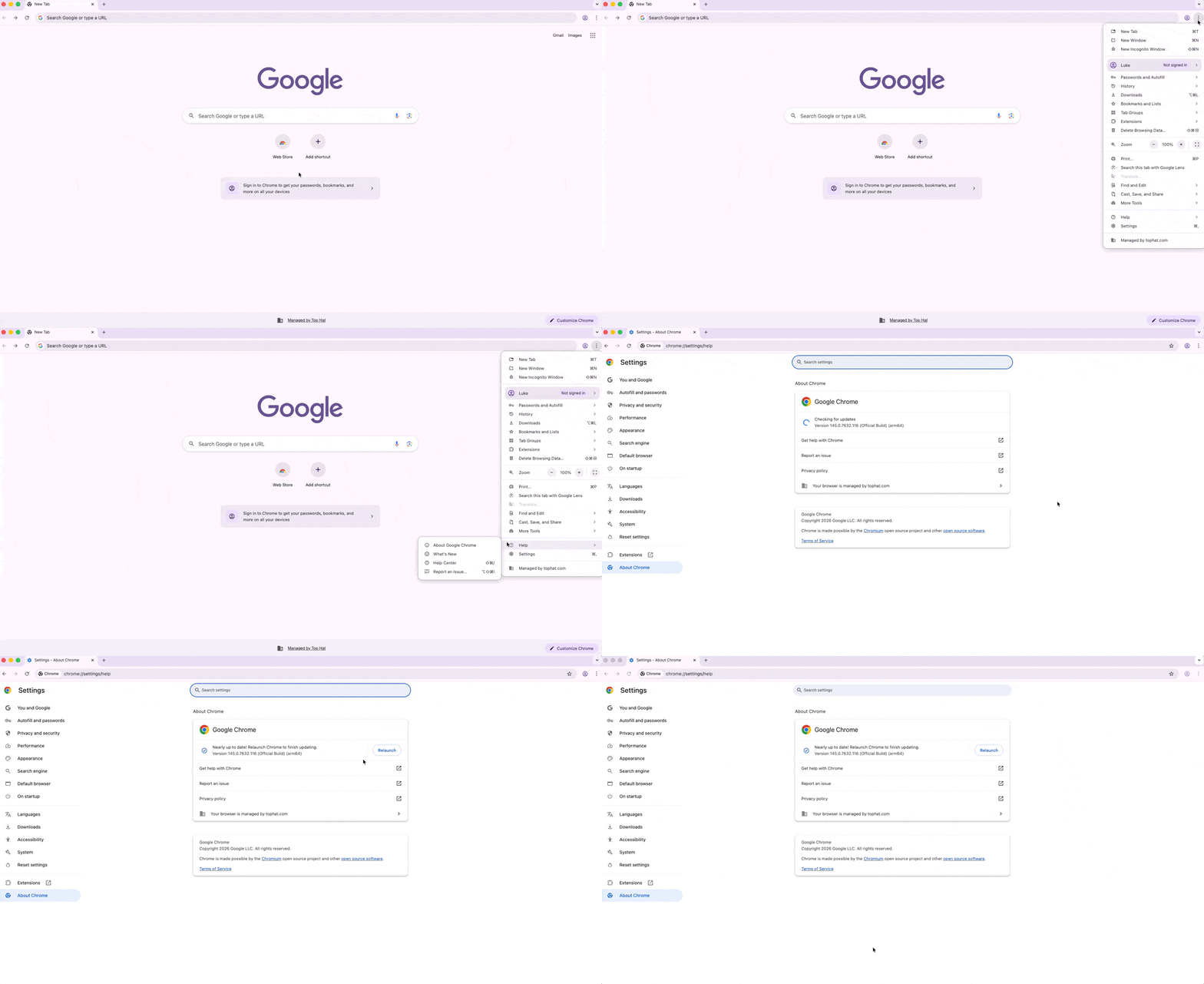 GIF: Navigation to "About Google Chrome" menu in browser settings
Safari
Safari updates are included automatically when updating the MacOS operating system. Top Hat is supported on the three latest major versions.
To check your version of Safari:
- Open Safari.
- Select About Safari.
- Confirm the version in the pop-up box.
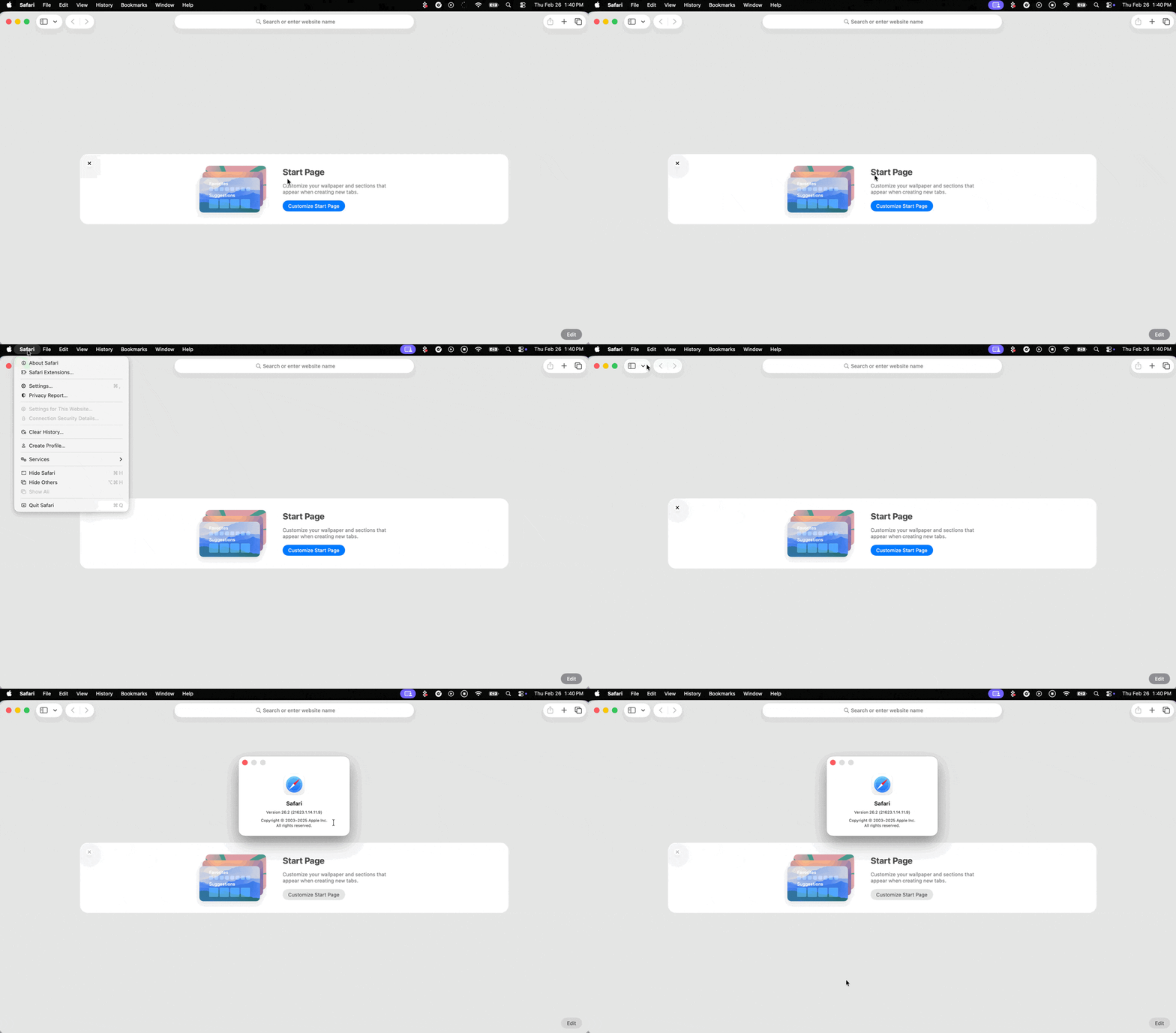 GIF: Checking browser version in Safari
To Update Safari on your Mac:
Update your device Operating System; the latest version of Safari will be included automatically.
Top Hat App
Top Hat is available as a mobile application for most iOS and Android devices.


Supported Devices: Student Accounts Only
- iPhone, iPad, or iPod Touch running the two latest major iOS versions.
- Android phones and tablets running the latest OS.
Related Articles
Unsupported Devices and Mobile Web Browsers
Android variants such as Fire OS (Kindle Fire), Silent OS (Blackphone), YunOS, and the Nokia Platform are not supported.
For devices not supported by the app, access Top Hat using your mobile web browser.
Note: If accessing Top Hat via a mobile web browser, only items being presented in class are accessible. To complete assigned homework, please log in using the mobile app or a desktop/laptop device.
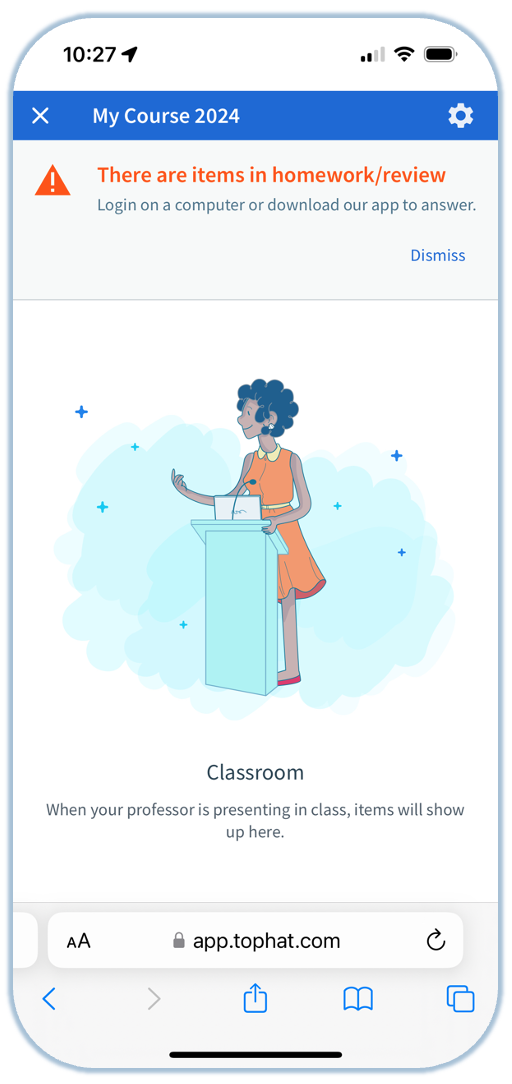 Image: Top Hat interface in a mobile web browser
Related Articles