Follow these steps to create a new course in Top Hat:
- Log into your Top Hat account.
- Select Create Course from the course lobby.
- Enter the required course details (Name, Course ID, and Subject).
- Enable and add sections if you want an MSM Course (Multi-Section Management).
- Select Create to finalize the new course.
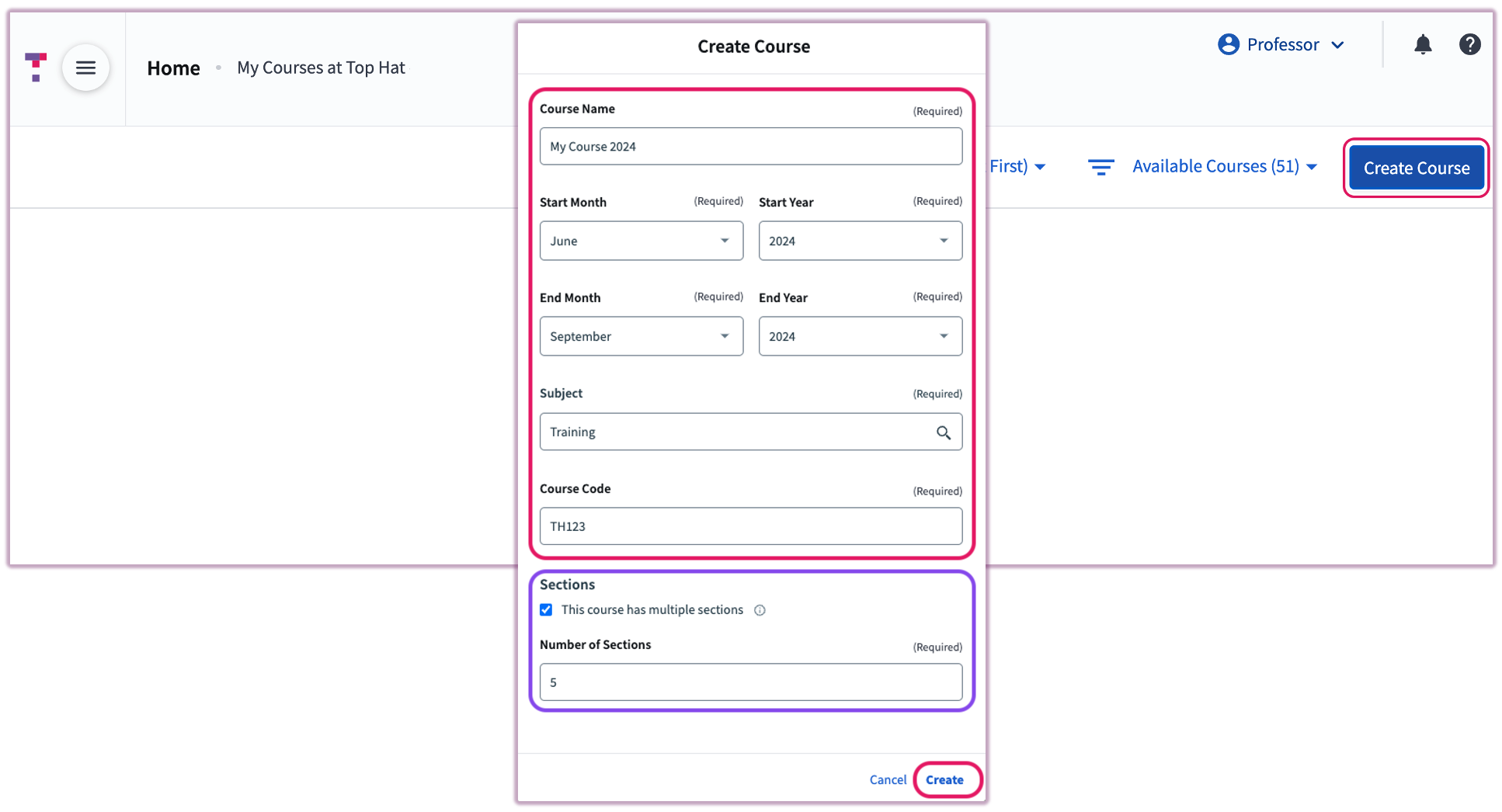 Image: Create Course Menu
MSM Coordinator and Multi-Section Manager
Important: Once you create an MSM course, you cannot revert it back into individual standalone sections. If you decide you need separate sections later, you will need to create new courses from scratch.
If you create an MSM course, you automatically become the Course Coordinator. Your role includes:
- Adding and syncing content from the "Base Course" to child sections.
- Connecting course sections to an LMS.
- Managing sections using the Section Manager tab.
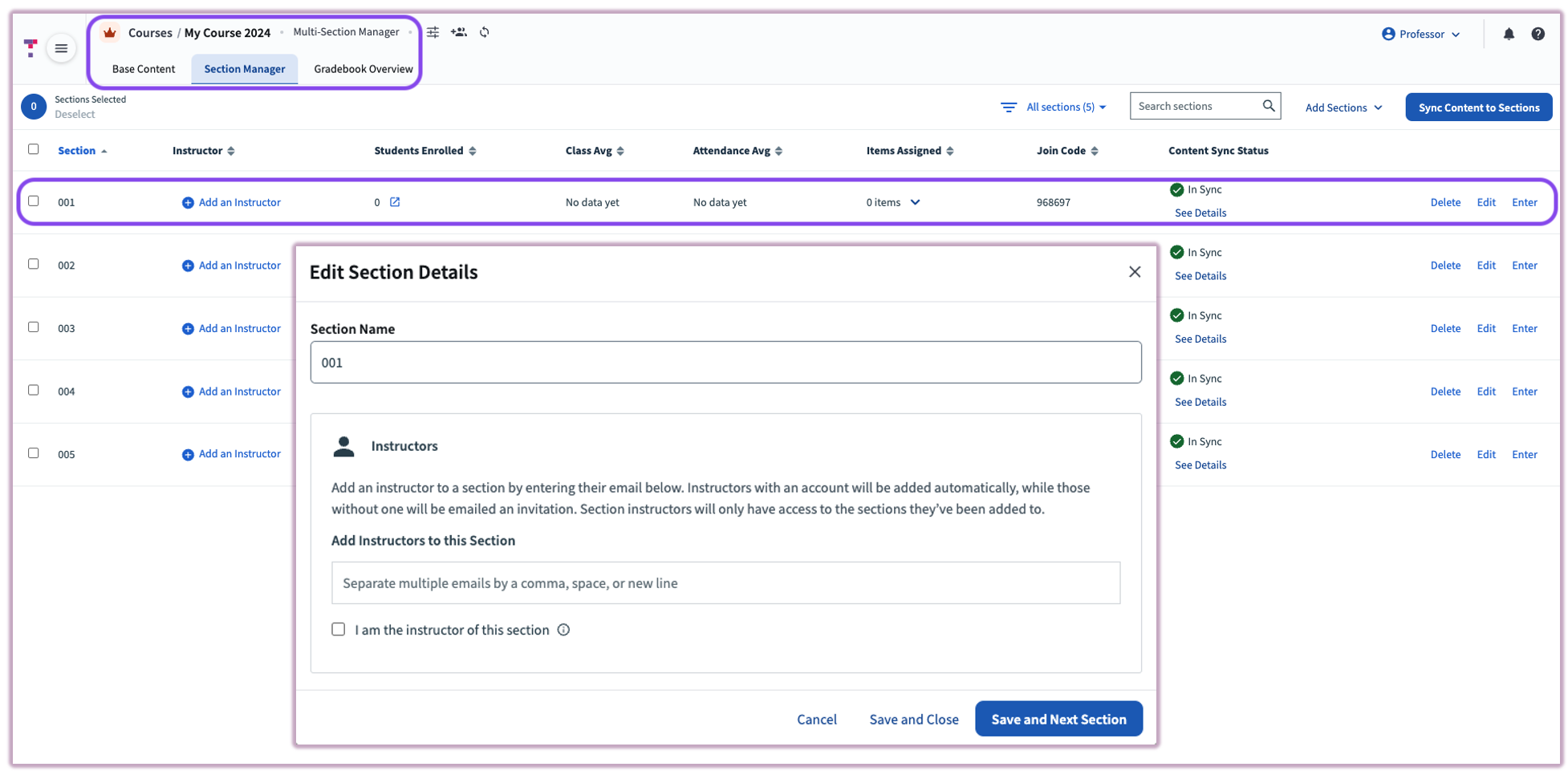 Image: Edit MSM Section Details
Sections are marked with a green MSM icon in the upper-left corner next to the section name.
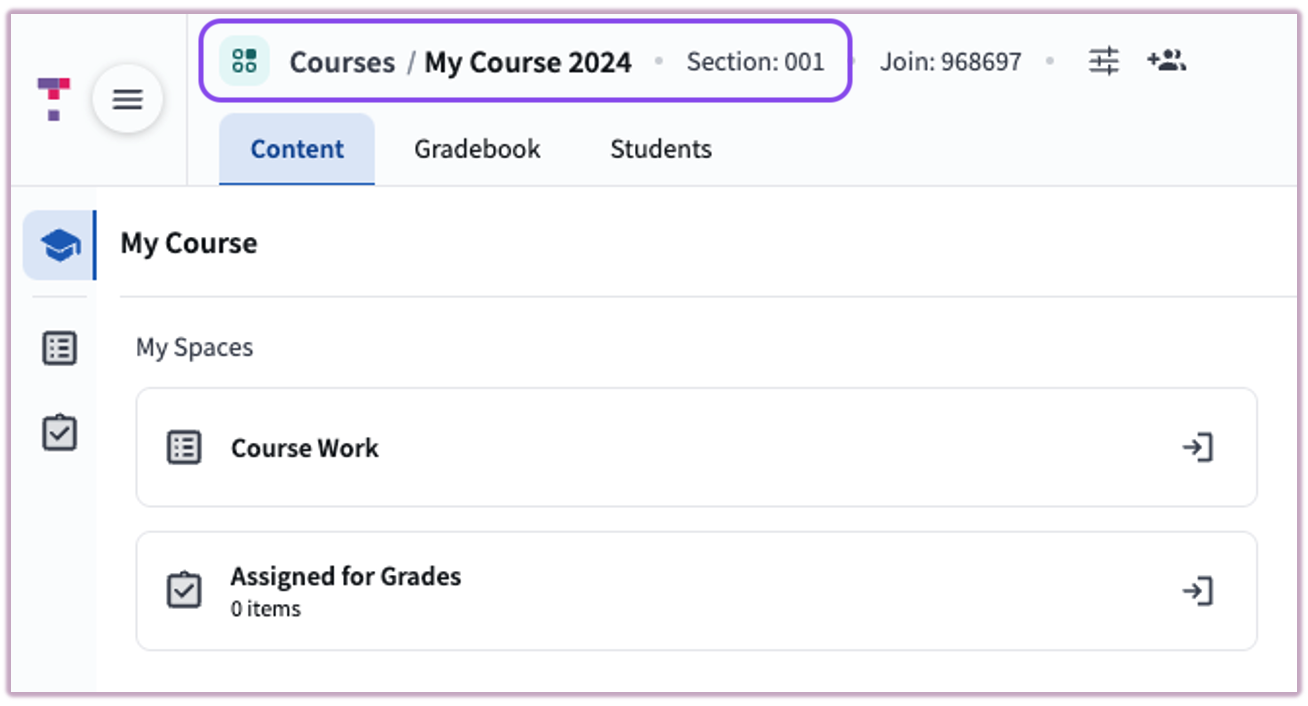
Image: MSM Section Icon
Related Articles