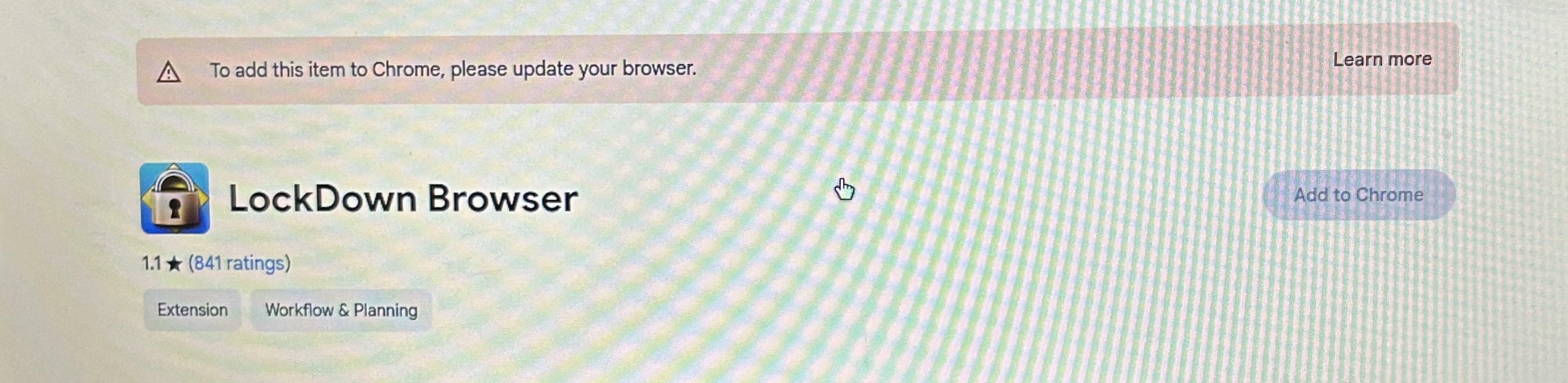
If you encounter the above error when trying to install the LockDown Browser for Chromebook extension, it is likely occurring because the version of ChromeOS installed on the Chromebook is not meeting the minimum version requirement.
LockDown Browser for Chromebook minimally requires the version of ChromeOS that Google makes available via their Long Term Support (LTS) channel. For more information, visit: https://chromereleases.googleblog.com/search/label/LTS
You can check the version of ChromeOS on your Chromebook by going to Settings > About ChromeOS.
We recommend keeping your Chromebook updated to the most recent version that is available via Google’s ChromeOS “Stable” channel: https://chromereleases.googleblog.com/search/label/stable
However, some older Chromebooks will have reached their end-of-life in regards to receiving updates from Google. If so, you'll need to use a different device for your exam that requires LockDown Browser.
For LockDown Browser compatibility requirements, please see: https://support.respondus.com/hc/en-us/articles/4409607170459-What-are-the-computer-requirements-for-installations-of-Respondus-LockDown-Browser-