Learning Outcomes and Competencies (Learning Objectives) cannot be used together. If Learning Outcomes are associated with a course, Competencies cannot be used in assignments. To switch an assignment's alignment from Competencies to Learning Outcomes, you must first remove its alignment with a Competency. For more information, refer to About Learning Outcomes.
To align learning outcomes to assignments
- Navigate to Assignments.
- From the Actions menu of the assignment that you want to align outcomes to, select Edit Assignment.
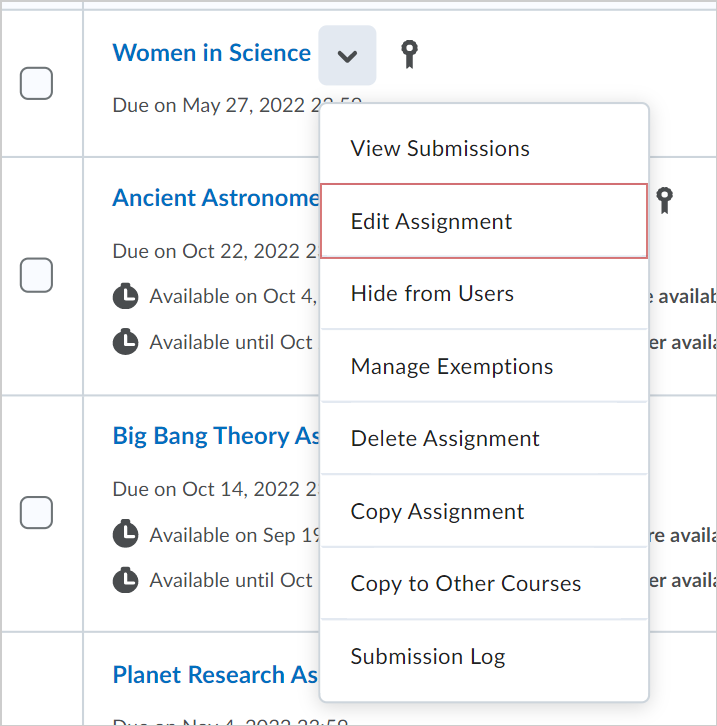
Figure: The Actions menu showing the Edit Assignment option.
- On the Edit Assignment page, click Standards.

Figure: The Standards option on the Edit Assignment page.
- In the Browse Standards dialog, select the outcomes you want to align with the assignment and click Save.

Figure: The Browse Standards dialog.
- If you want to align more learning outcomes, click the Browse Standards icon (+).
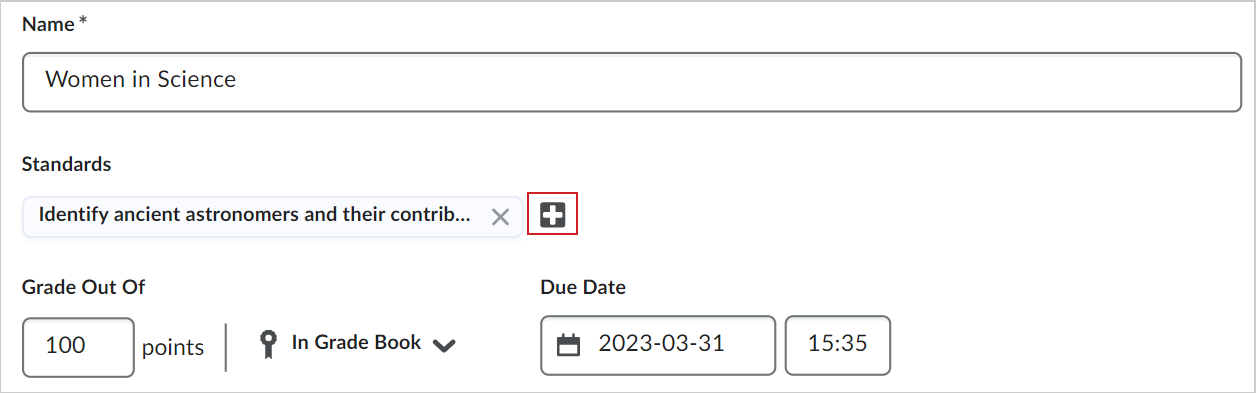
Figure: The Browse Standards icon.
- If you want to remove one aligned outcome, click the X next to the outcome name.
- If you want to remove all aligned outcomes, click Clear All.
- Click Clear to confirm that you want to clear the alignments.
- Click Save and Close.

Figure: The create and edit Assignments page with selected outcomes.
You have aligned competencies to your assignment.