Including math equations, symbols, and more in your Top Hat questions and discussions is possible using the Inline Symbol Selector or LaTeX, a popular markup language.
Table of Contents
- LaTeX for New Builder Questions
- LaTeX for Classic Questions
- Math, Greek and Misc Symbol Selector
LaTeX for New Builder Questions
The new question builder introduces a streamlined process for inserting LaTeX expressions. The system automatically renders your code into professional mathematical notation.
Steps to Insert LaTeX
- Position the Cursor: Place your cursor in the editor where you want to insert the mathematical expression.
- Insert LaTeX Block: Click the Insert LaTeX Expression button (the square root icon) in the toolbar.
 Image: Locating the LaTeX button in the toolbar
- LaTeX Block Appears: A dedicated block will appear in the editor. You can now begin entering your code.
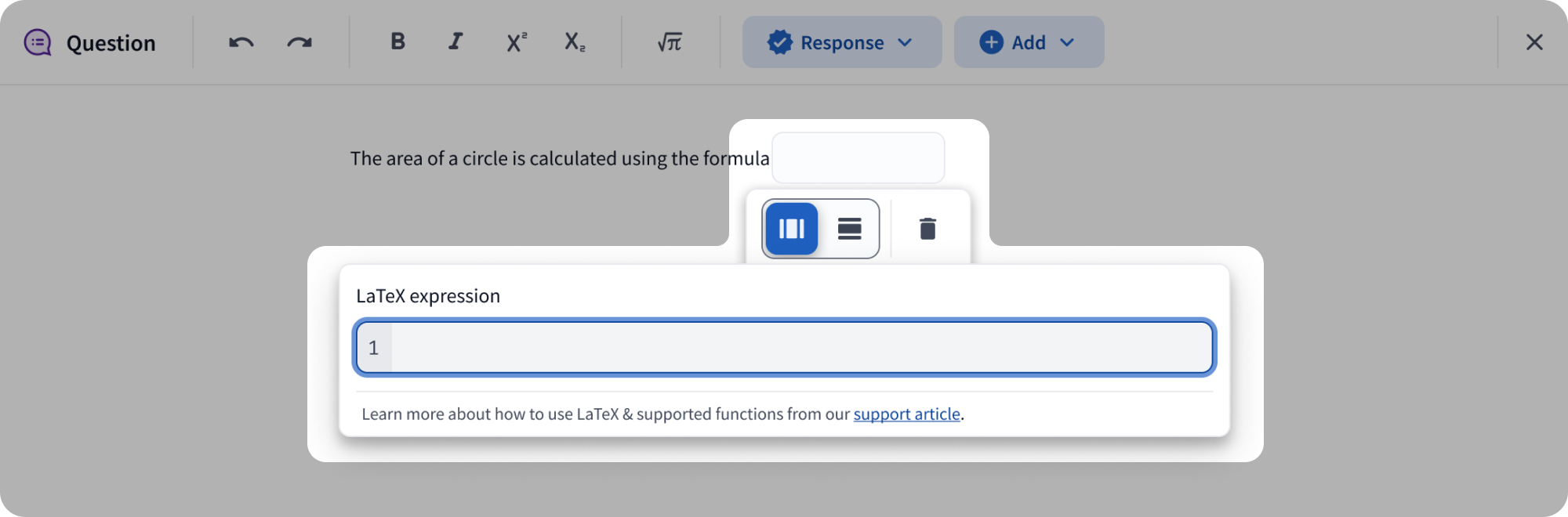 Image: An active LaTeX block
- Enter LaTeX Expression: Use the code editor appearing below the block. The expression renders in real-time.
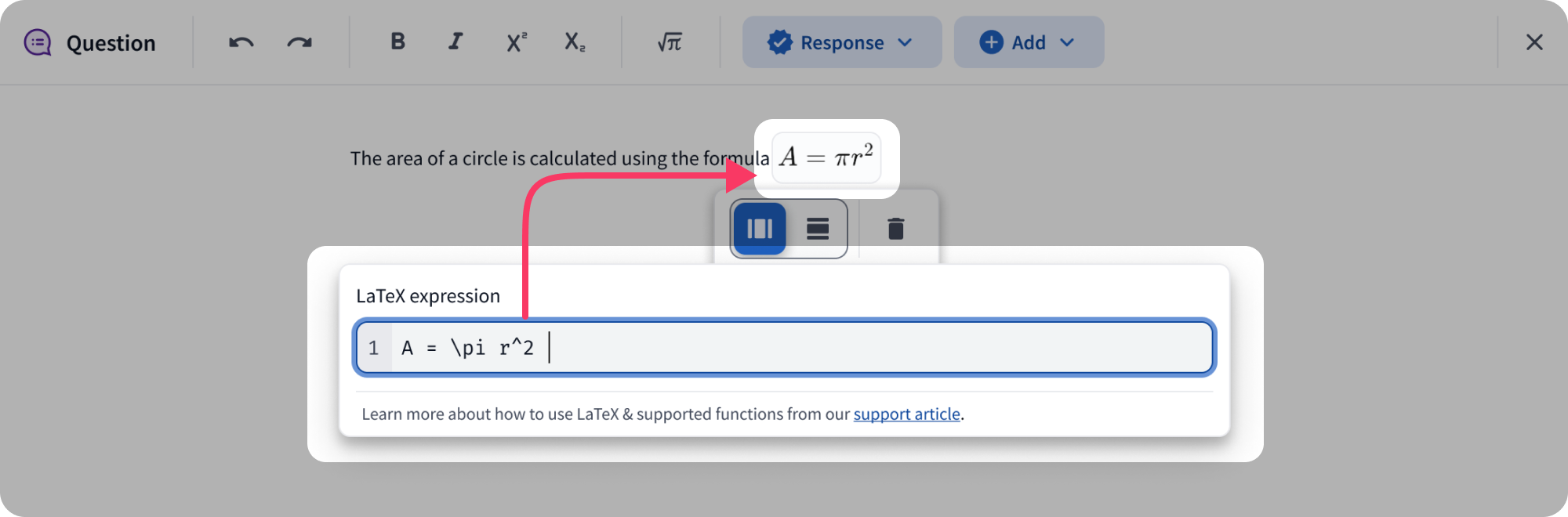 Image: Real-time rendering of LaTeX code
- Formatting Options: Switch between Inline (within text) and Display (centered on its own line) modes.
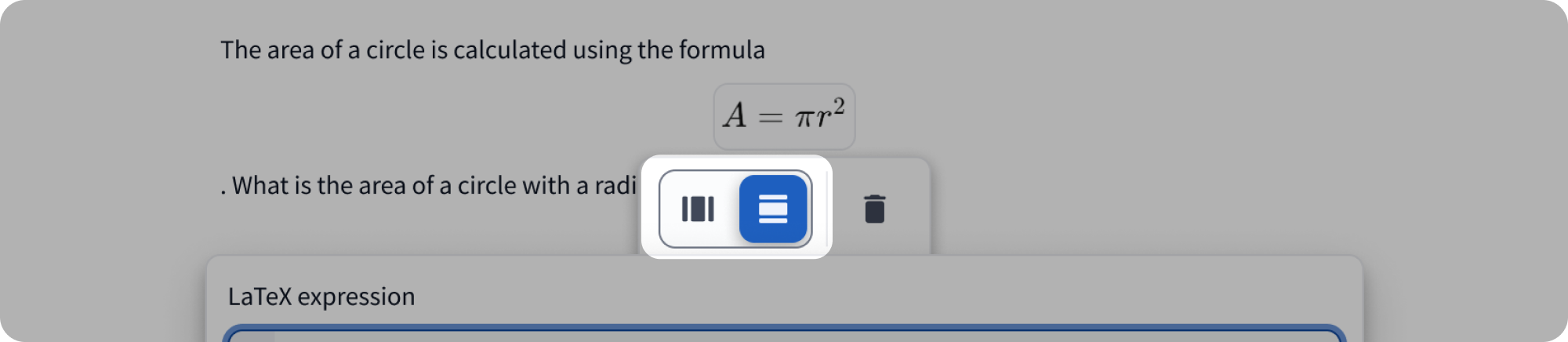 Image: Switching between Inline and Display formatting
Accessibility Note: LaTeX in the New Builder is fully compatible with screen readers, ensuring students with visual impairments can access mathematical content.
LaTeX for Classic Questions
To add LaTeX expressions into classic question types, you must use specific "shortcode" tags to tell Top Hat where the math begins and ends.
Syntax and Steps:
- Type
[math] to indicate the start of the expression.
- Type your LaTeX formula: e.g.,
A = \pi r^{2}.
- End by typing
[/math] to close the expression.
- Final Result:
[math] A = \pi r^{2} [/math]
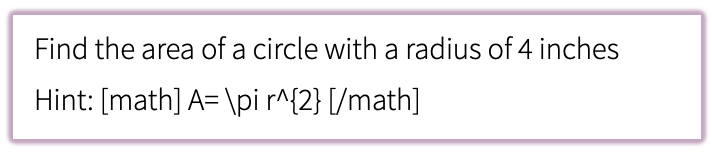 Image: Entering math tags in the Classic Question Builder
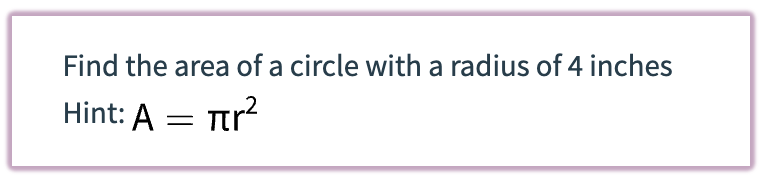 Image: Rendered LaTeX in a Classic Question
Warning: Math written in LaTeX is not accessible to screen readers in classic questions. Use the New Builder for accessible math content.
Math, Greek and Misc Symbol Selector
For simple symbols that do not require full LaTeX, use the Inline Symbol Selector (the Omega symbol Ω). You can choose from Math, Greek, or Miscellaneous categories.
Note: The symbol selector is currently available only for Classic question types. Symbol support for the New Builder is coming soon.
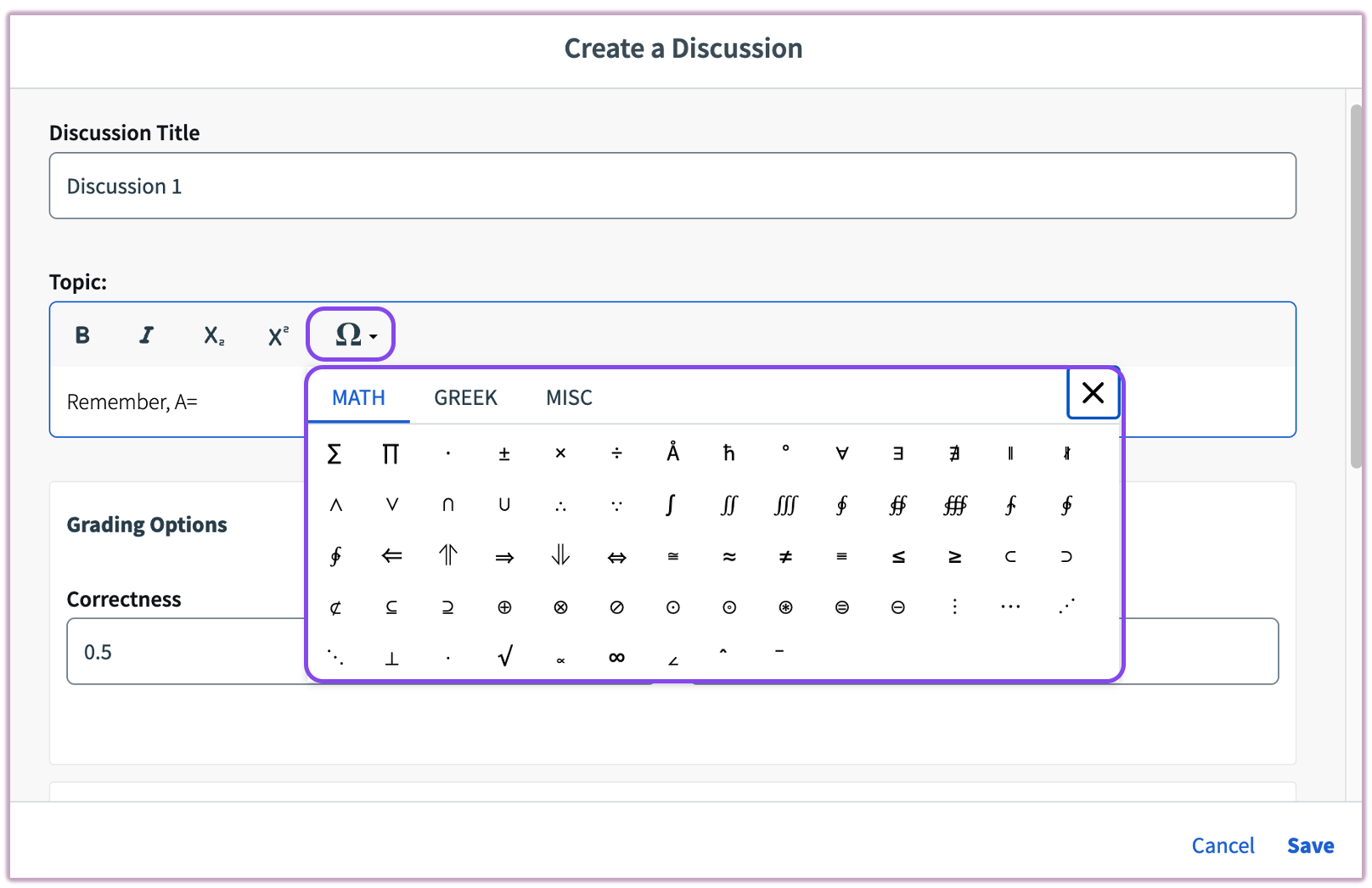 Image: The Inline Symbol Selector