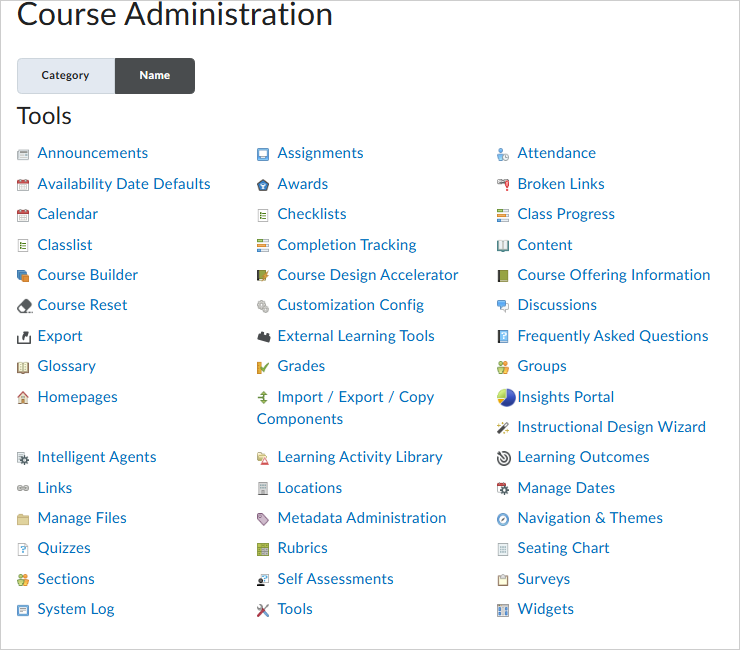
Course Administration is a central area for accessing tools related to setting up and managing your course. From here you can access many tools to help you run your course smoothly, including:
- Enable and disable course tools
- Rename course tools
- Manage course offering information
- Import course components
- Import learning outcomes
 |
Note: Course Administration is now the central location to manage learning outcomes. Learning Outcomes continue to appear in New Content Experience (Lessons), and any learning outcome you import in one location is reflected in the other. |
Visual tour of the Course Administration page
To access the Course Administration page for your course, click Course Admin from your course navbar.
 |
Important: The tools available and visible to you on the Course Administration page will vary depending on what tools your organization administrator has made available to you at the org level. If you want to set the visibility of tools in your specific course offering, you require the Course Management Console > See Tool Management and the Course Management Console > Set Tool Status role permissions to set tools statuses for a course. Refer to Course Management Console permissions for more details and content your administrator for assistance.
|
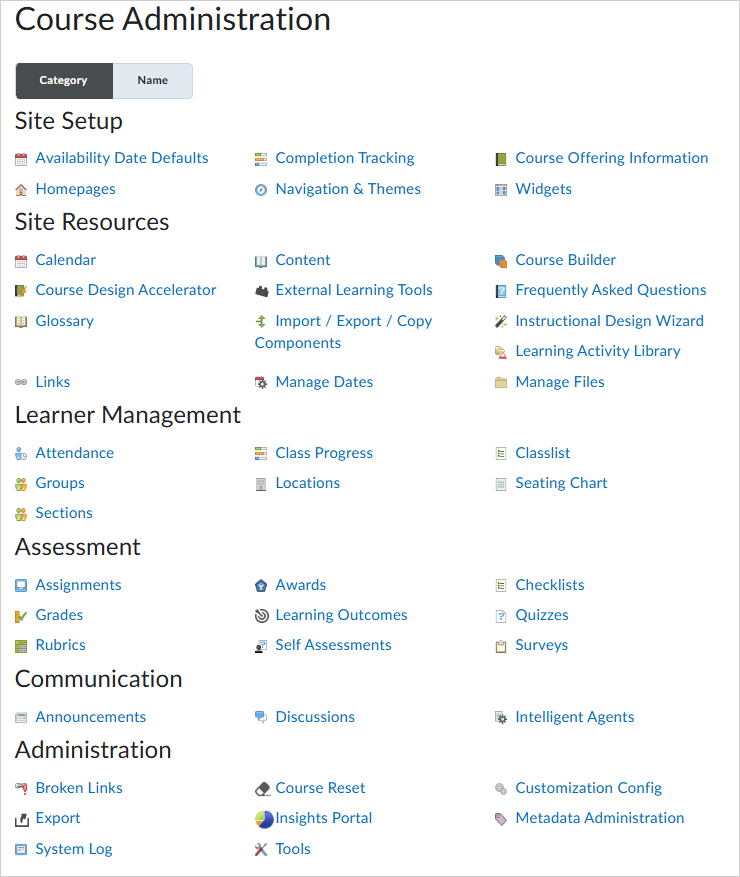
You can select the Category tab to organize all available Brightspace tools by category:
You can also sort available tools alphabetically by selecting the clicking the Name tab: