Creating a Canned Response
Body
- Click Compose, and type in the message you would like to save as a canned response. Delete any email signatures from the window before continuing.
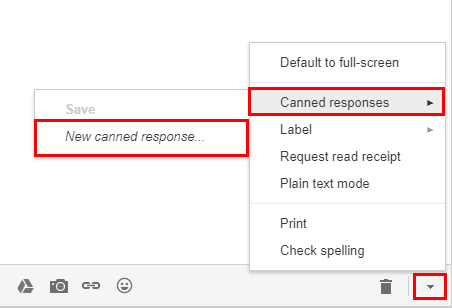
- Click the arrow at the bottom right of the window, roll over Canned responses, and then click New canned response. This will save the message as a canned response for future use. To overwrite a previously created canned response, click the title of the canned response.
Details
Details
Article ID:
86345
Created
Thu 9/5/19 4:09 PM