Body
Top Hat Classroom displays live course content—slides, polls, questions, attendance, and discussions—during lectures via the mobile app or web browser. This guide explains how students can engage with presented material in real time, submit responses for participation or correctness points, and avoid missing grades by staying active in the Classroom tab.
Table of Contents
- What is Classroom?
- Classroom Layout (Web Browser)
What is Top Hat Classroom?
Top Hat Classroom is the dynamic learning space where live lecture content is displayed. Because presented content often carries correctness and participation points, it is vital to remain active in this tab during class. If you do not submit a response while an item is presented, you will not earn those points, which can lower your overall course grade.
The following content types are delivered through Classroom:
- Questions & Polls: Real-time assessments and feedback loops.
- Attendance: Secure check-ins using geolocation or 4-digit codes.
- Discussions: Collaborative threads for peer-to-peer engagement.
- Presentations: Live slide decks and visual aids.
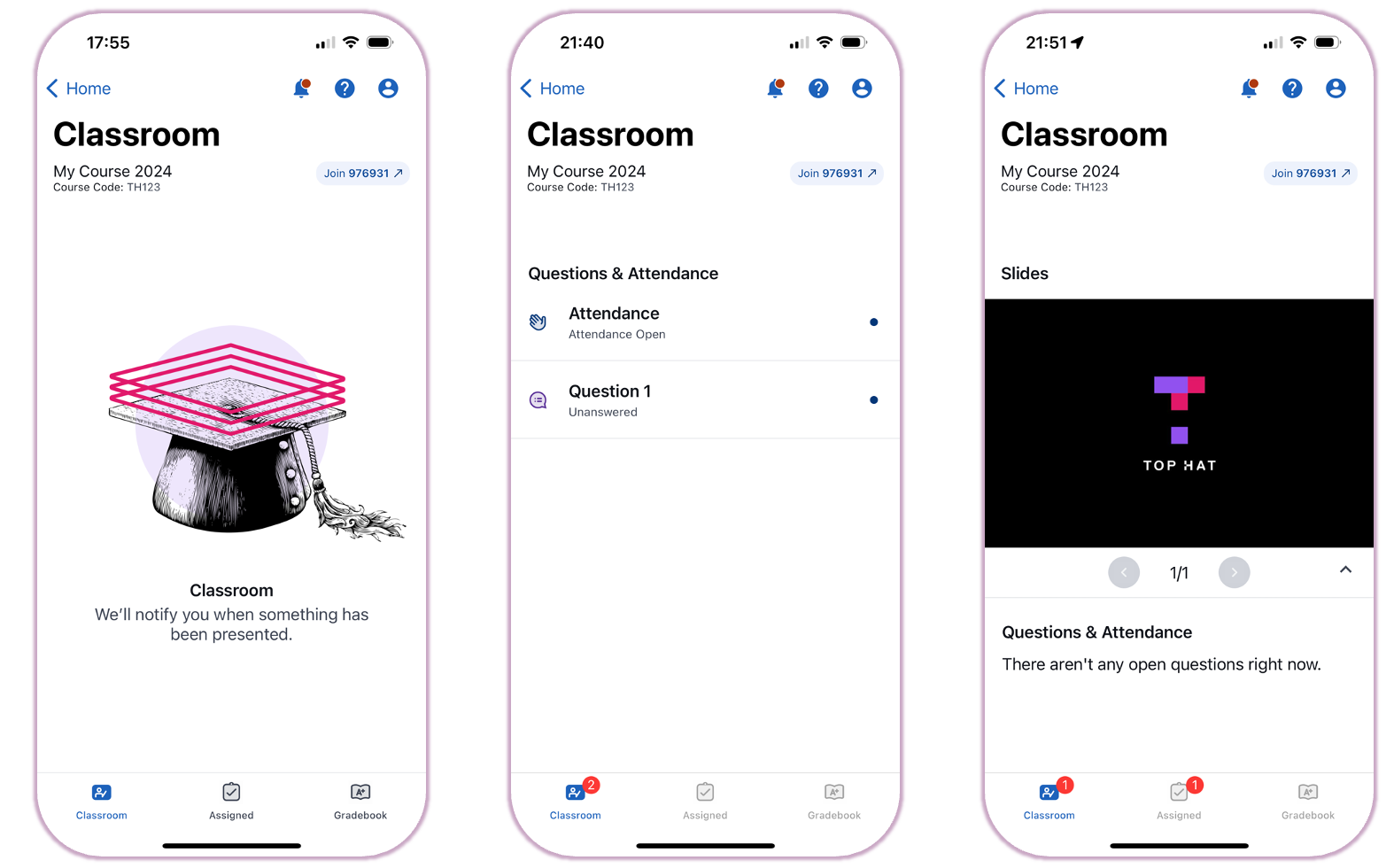 Image: Classroom interface in the Top Hat mobile app
Classroom Layout (Web Browser)
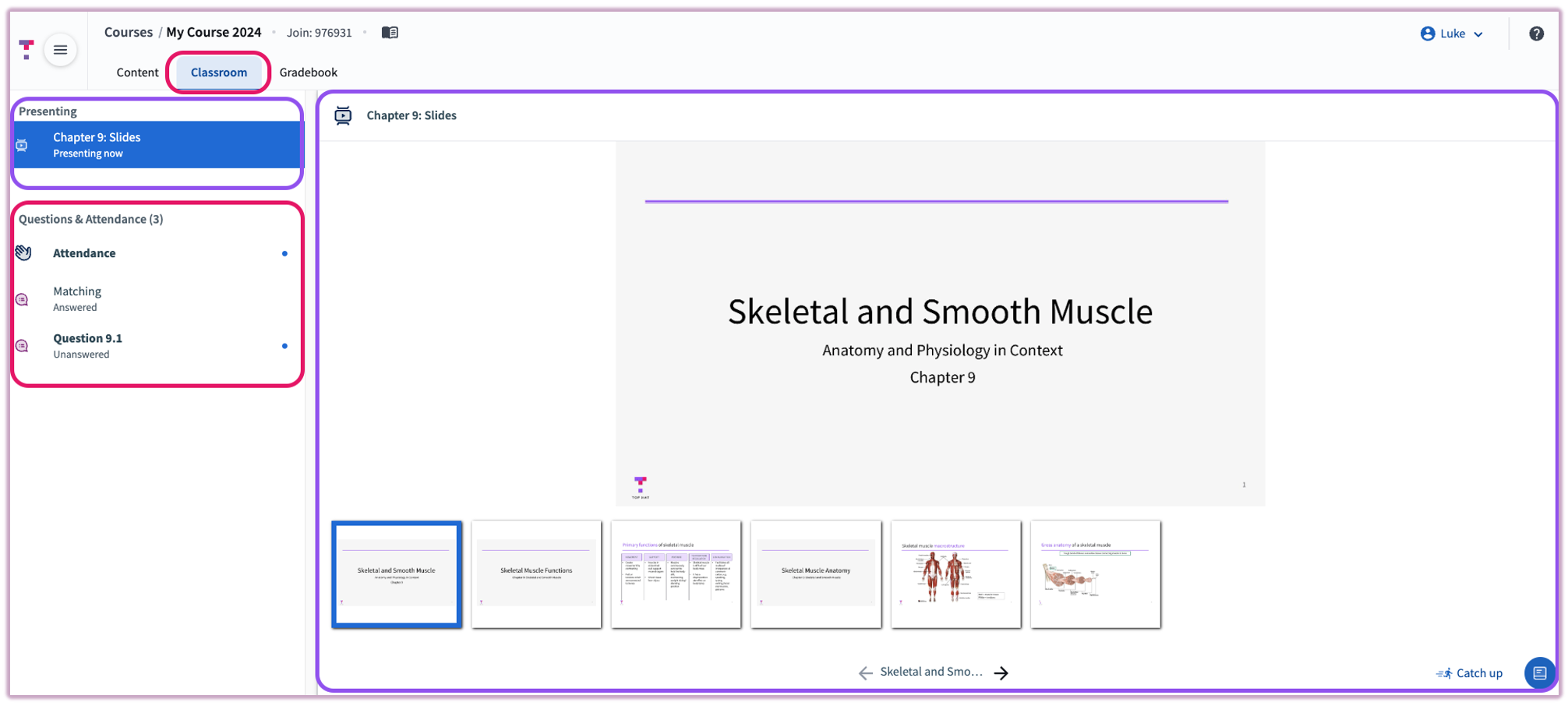
When using a laptop or desktop, the web browser layout is organized into three primary functional areas:
- Classroom Tab: Located in the top navigation bar, this is where you go to see live content.
- Presentation Pane: The central area displaying the slides or media currently being shown by the instructor.
- Engagement Pane: The area where active Questions, Polls, and Attendance prompts appear for your input.