Body
Enroll in your Top Hat course using a 6-digit Join Code, course name, or instructor name from a web browser or the mobile app. This guide walks you through how to join a course from the Top Hat Course Lobby on both desktop and mobile devices.
Learn how to activate your course with a credit card, redeem an Access Key, or troubleshoot messages like “Account Not Active” or “Action Required.” Whether your course uses Top Hat Interactive Textbooks or simply requires enrollment, you’ll find the steps to get started quickly and confidently.
Table of Contents
- Join a Course (Web Browser)
- Join a Course (App)
Join a Course (Web Browser)
Log in to Top Hat and click the "Join Course" button in your course lobby.
Search for your course using one of the following identifiers:
- 6-digit Course Join Code
- Instructor’s Name
- Course Name
Once you locate the correct course, click "Join Course" to enroll.
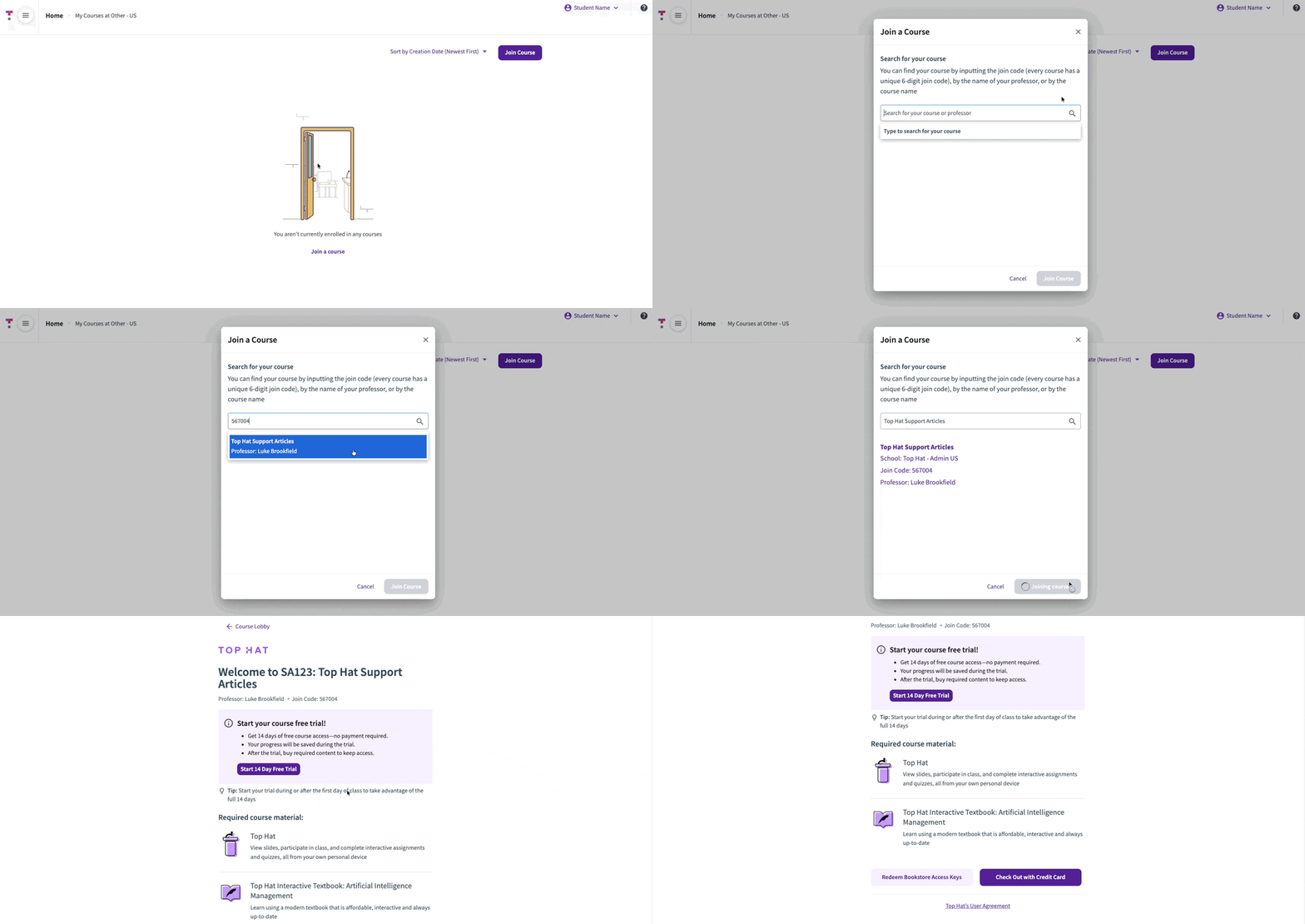 Image: Process of joining a Top Hat course via web browser
If your course requires payment for access, follow the prompts to:
- Purchase the required content using a credit card.
- Redeem a Top Hat Access Key if you purchased one from your campus bookstore.
Tip: If you're unsure which course to select, double-check your syllabus or ask your instructor, as they may teach multiple sections with similar titles.
Note: Not all courses require a paid subscription to enroll; some may be provided for free by your institution.
Related Support Articles:
Join a Course (Mobile App)
Open the Top Hat app on your mobile device and sign in.
Tap the "+" icon in the upper-left corner of the screen to begin searching for your course.
Search using the:
- Six-digit Course Join Code
- Instructor’s Name
- Course Name
Important Note on App Purchases: If the course requires payment, you may see messages like "Account Not Active" or "Action Required to Join Course." Because course purchases cannot be processed directly through the mobile app, you must use a web browser to complete the payment or activate your account. Once activated, you can return to the app to access your materials.
After locating your course in the search results, tap "Enroll" to finish.
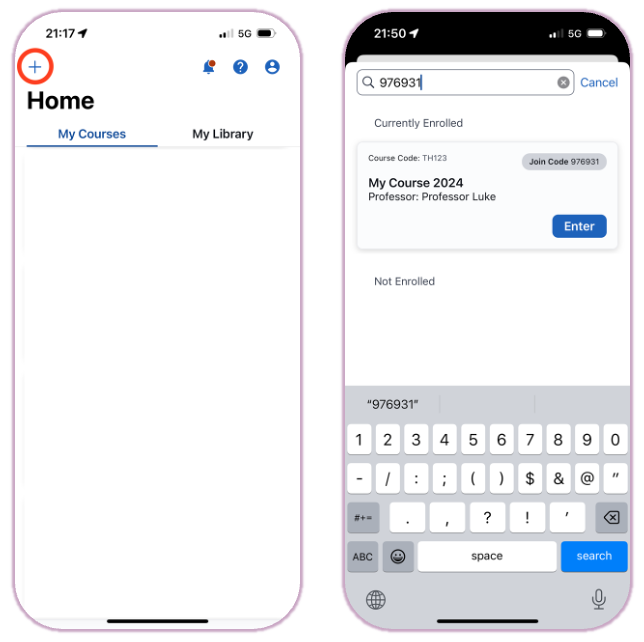 Image: Joining a course using the Top Hat mobile app
Related Support Articles: