Body
Select the People & Roles tab within the course settings menu and choose the User Role you would like to assign. Or create a new role using any of the existing pre-set profiles available:
- Grading Teaching Assistant
- Professor
- Teaching Assistant
Inviting a user will send them an email either inviting them to create a Top Hat account to be added to the course (if no user exists in the system), or will provide an email confirmation letting them know they were added to the course (existing users).
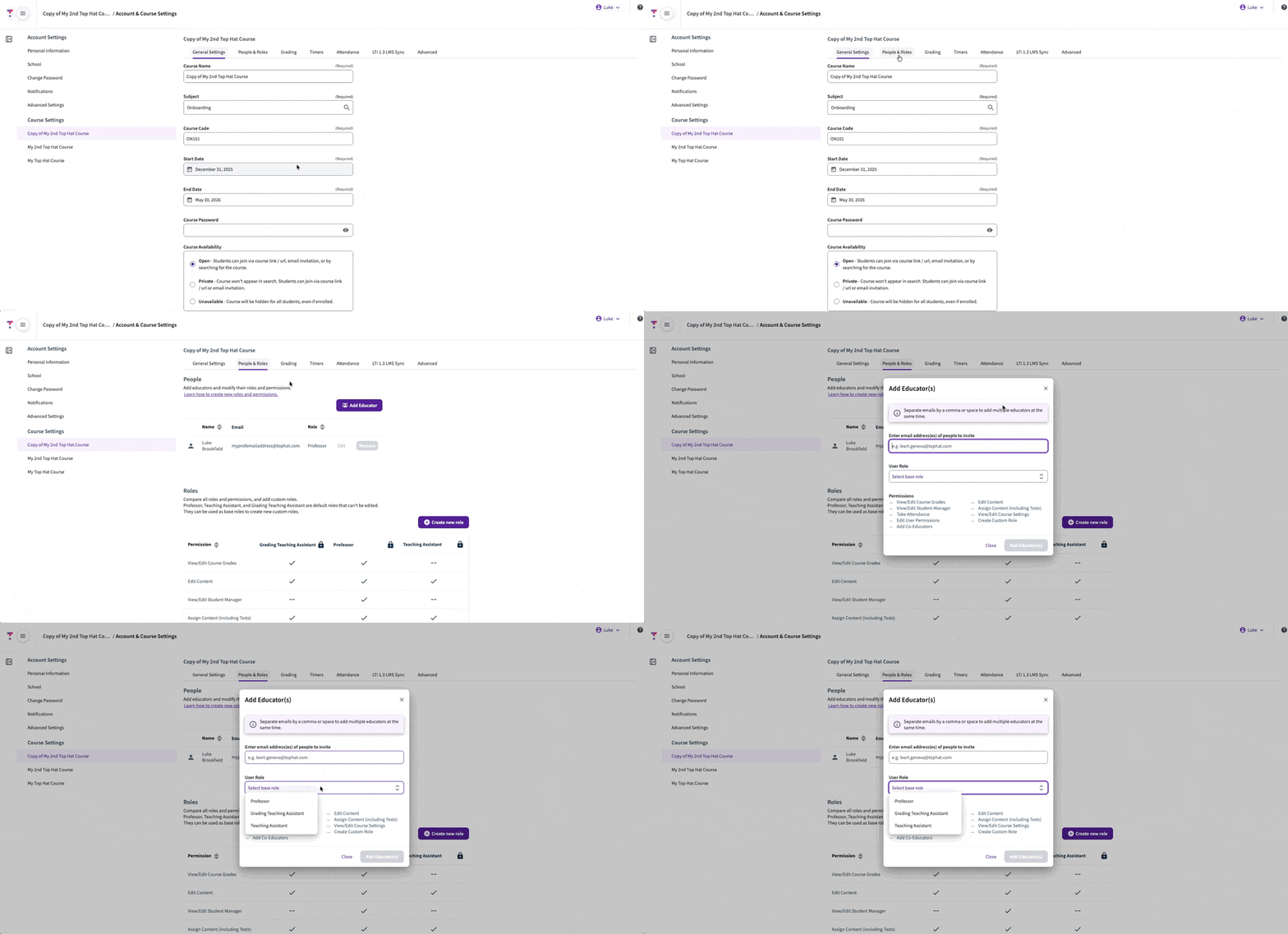 GIF: People & Roles menu within course settings
Comparison of permissions by role
| Permission |
Grading TA |
Professor |
Teaching Assistant |
| View/Edit Course Grades |
✔ |
✔ |
— |
| Edit Content |
✔ |
✔ |
✔ |
| View/Edit Student Manager |
— |
✔ |
— |
| Assign Content |
✔ |
✔ |
✔ |
| Take Attendance |
✔ |
✔ |
✔ |
Note: Teaching Assistants must have a Student account to be added with this Top Hat role. If they do not have the correct account type, they must reach out to Top Hat Support to request an account deletion.