Body
To copy specific items within or between courses:
- Select the item(s) you want to copy in the content tree.
- Select Copy in the menu that appears.
- Choose the destination course from the dropdown.
- Select the specific folder or location to paste the content.
- Select Copy Here to complete the process.
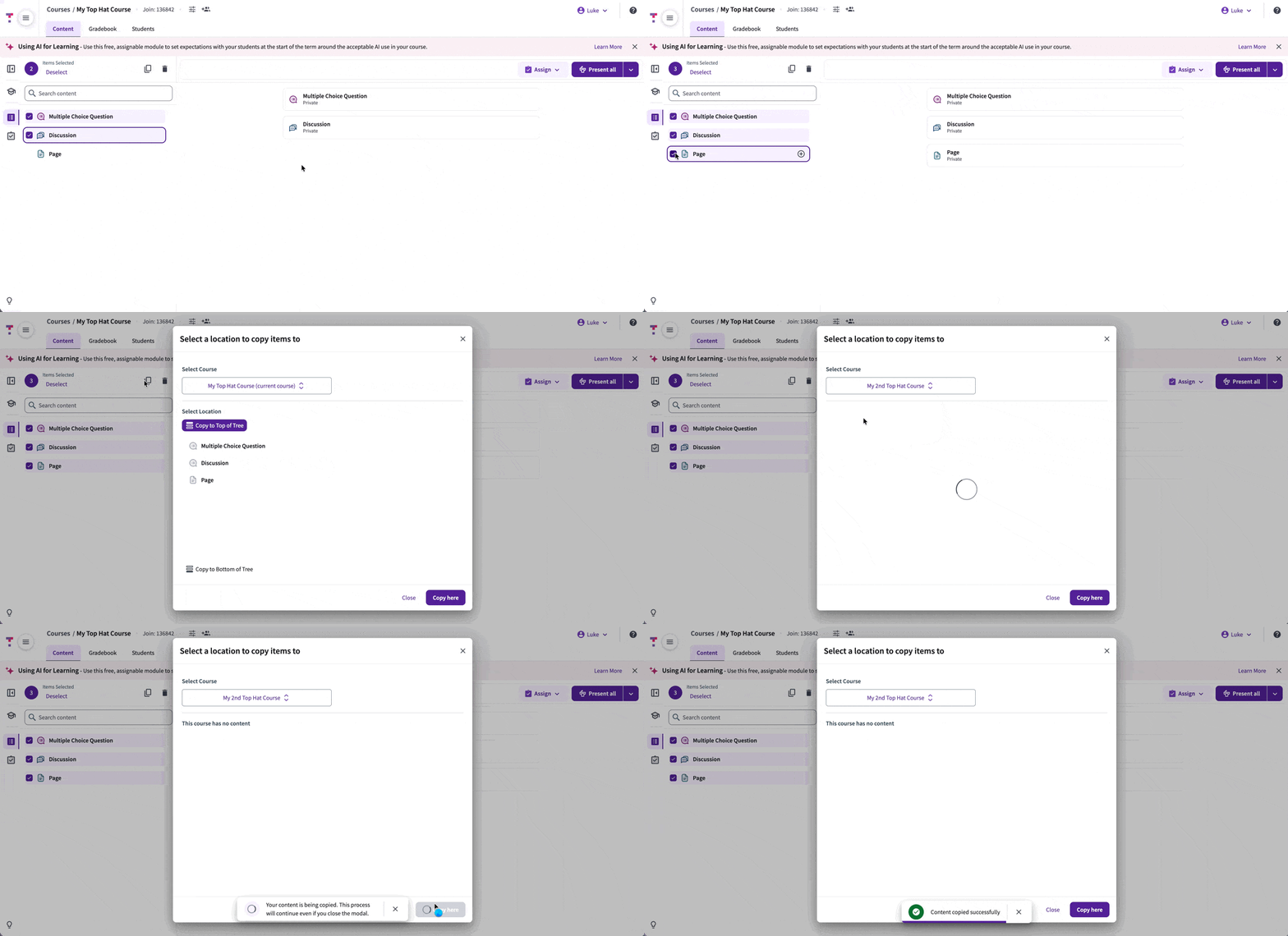 GIF: Copy Content Flow