Body
Manage your Top Hat account settings, personal information, school details, password, phone number, SMS setup, and subscriptions using a web browser.
This guide walks both students and educators through accessing and updating account information, including email changes, grading setup, and notification preferences. While some settings can be viewed in the mobile app, full account management requires logging in through the Top Hat website.
Account Information & Settings
To access your account settings:
- Log into Top Hat via a web browser.
- Select your name or account icon in the upper-right corner of the interface.
- Select Account Settings from the dropdown menu.
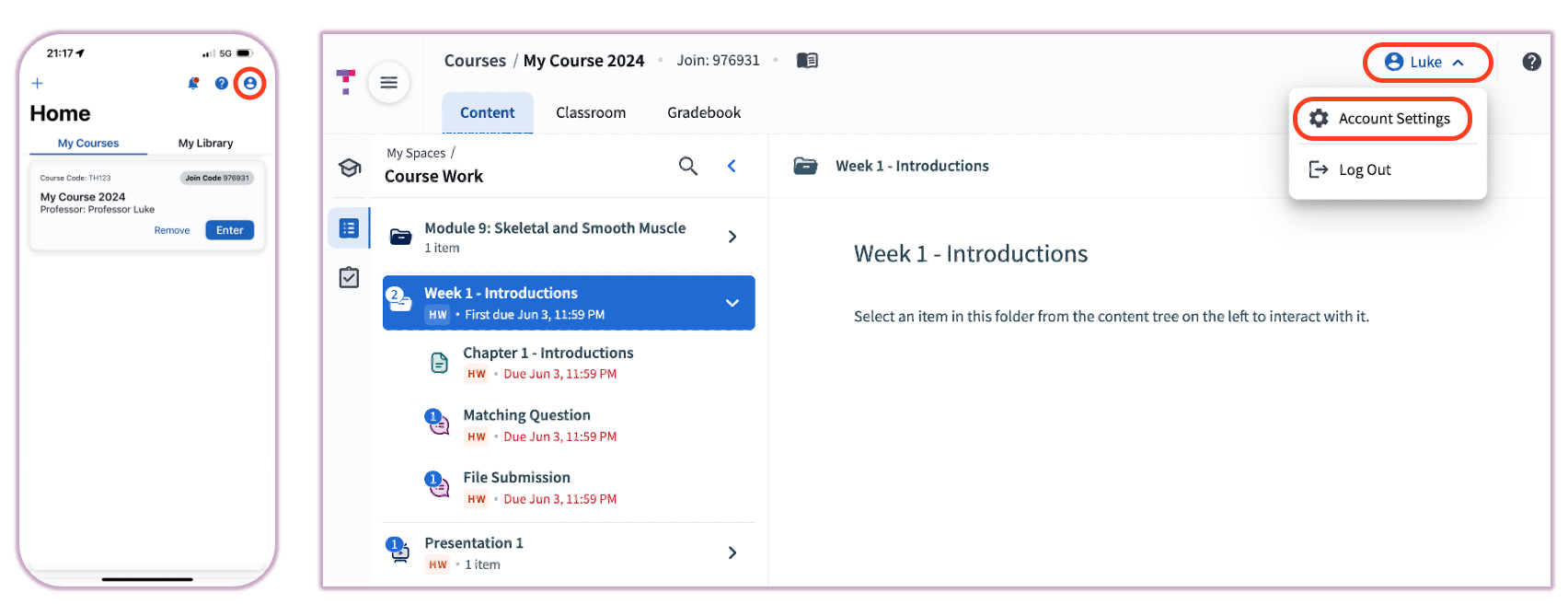 Image: Accessing Account Settings from the profile menu
Make any necessary updates and select Save to apply changes. If you update your email address, you must confirm the change through a verification link sent to your new inbox.
What You Can Manage in Account Settings:
- Personal Information — Update your name and email address.
- School — Change or update your primary institution.
- Student Number (ID) — Grading Setup (Student accounts only).
- Change Password — Update your security credentials.
- Phone Number & SMS — Add or update your number for SMS Text Submissions.
- Subscriptions & Purchased Content — View transaction history or initiate refund requests.
- Notifications — Manage email and mobile app alerts.
- Advanced Settings — Test device location settings (primarily for instructors using secure attendance).
Note: Some account details, such as subscription management and advanced security settings, cannot be updated within the mobile app. Use a web browser for full management options.
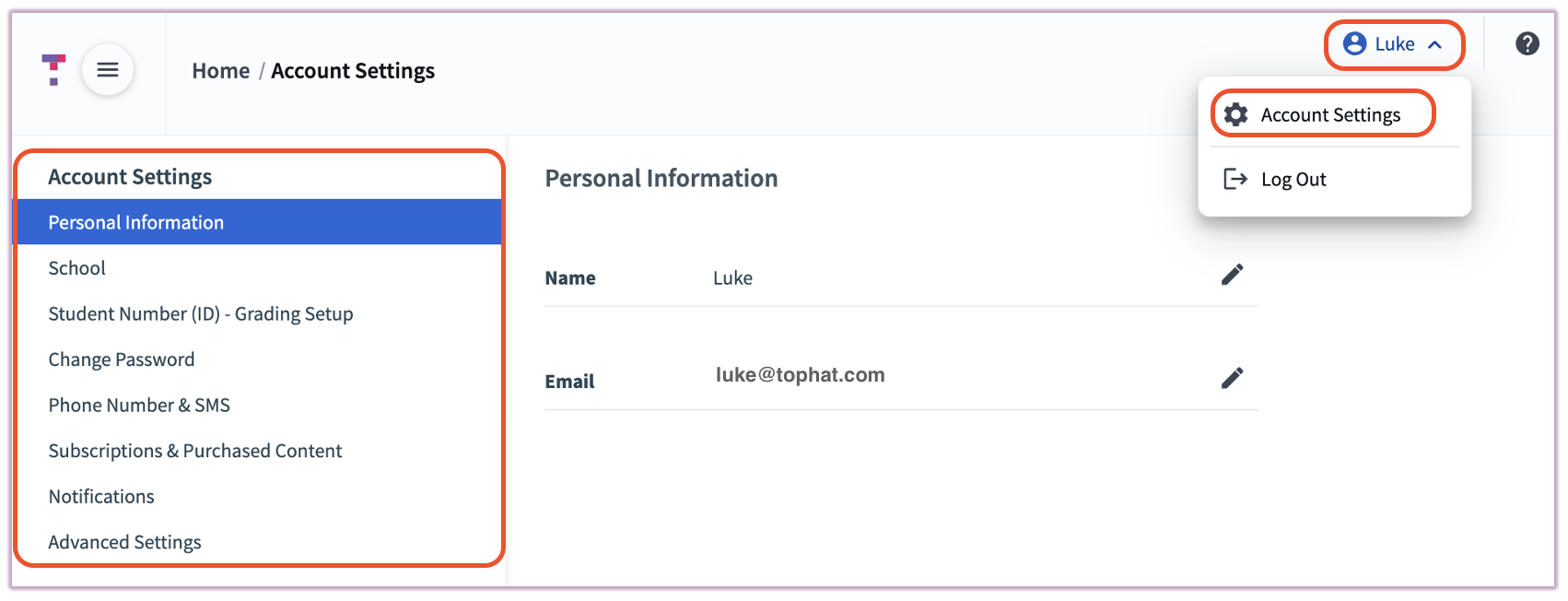 Image: The Account Settings dashboard overview
Related Articles