Body
Setting up the Integration
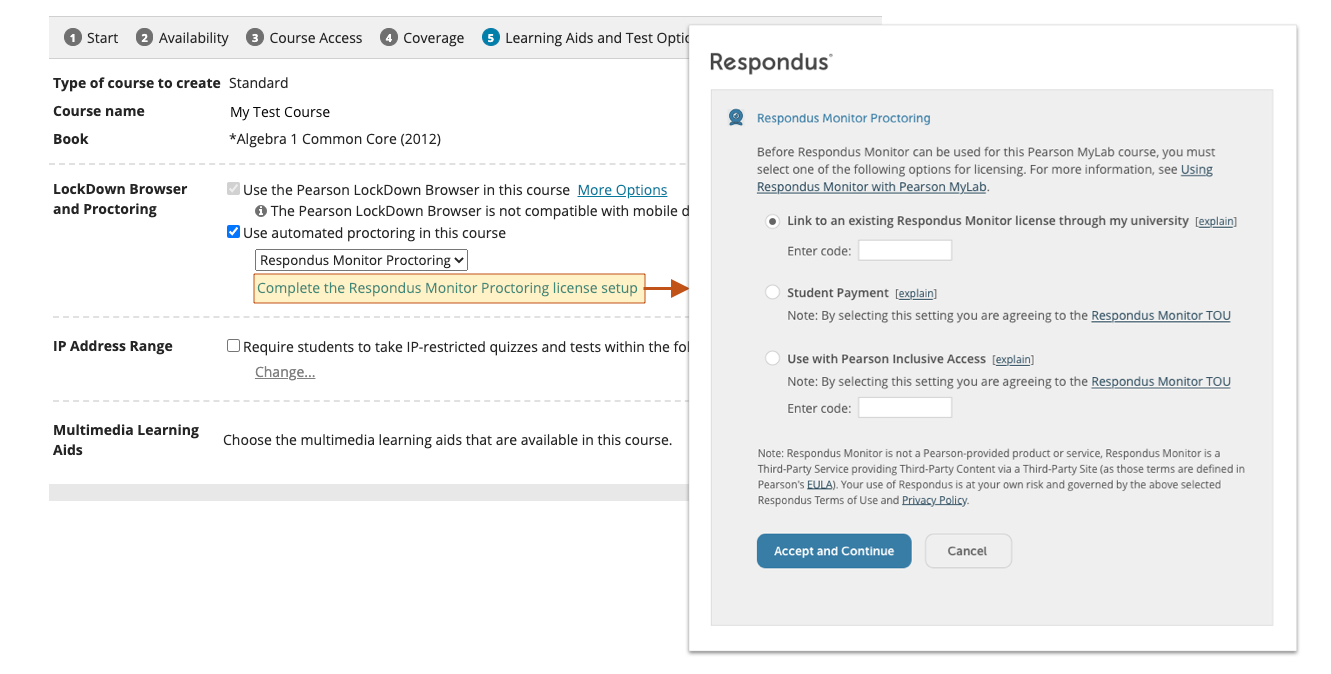
To use Respondus Monitor with your Pearson MyLab and Mastering course: Navigate to the course settings and locate "Learning Aids and Test Options," select "Use automated proctoring in this course," and then “Respondus Monitor Proctoring.”
You will then be prompted to "Complete the Respondus Monitor Proctoring license setup," which is a one-time process (see below).