Body
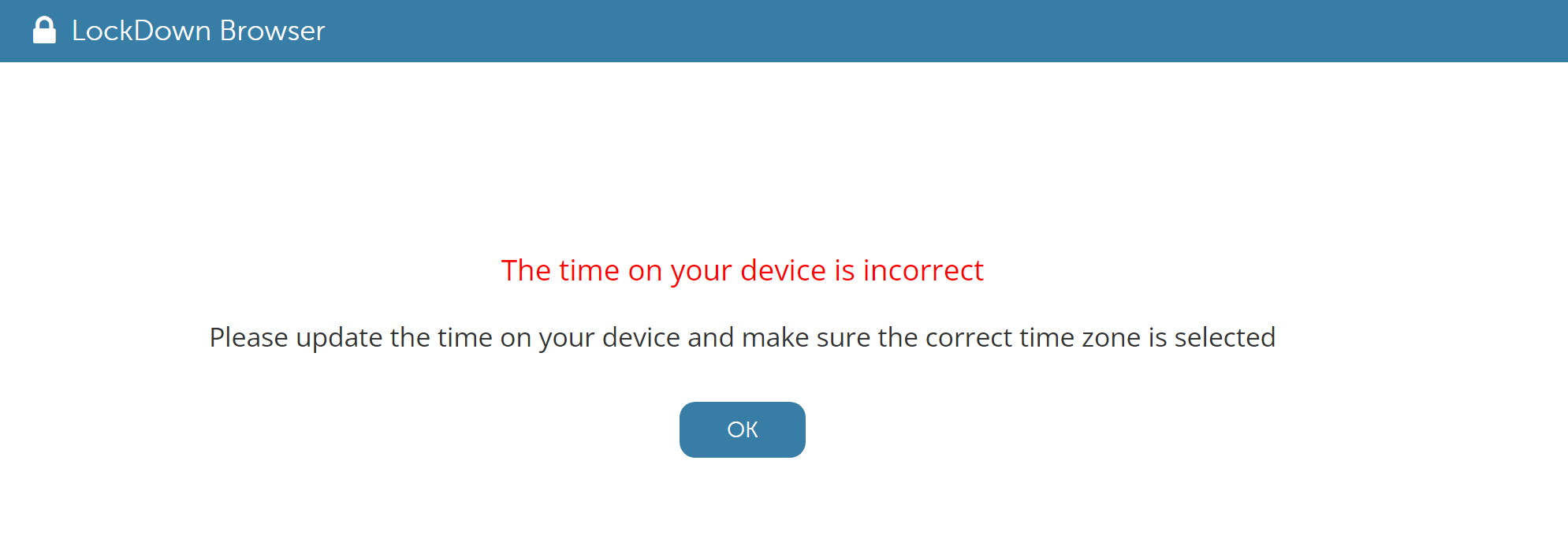
Respondus Monitor requires that your computer's time and time zone be set to the physical location of your computer. You will need to adjust both in the computer's systems settings.
One method you can use to check your time setting is by visiting this website from the same device that is experiencing the error: https://time.is/
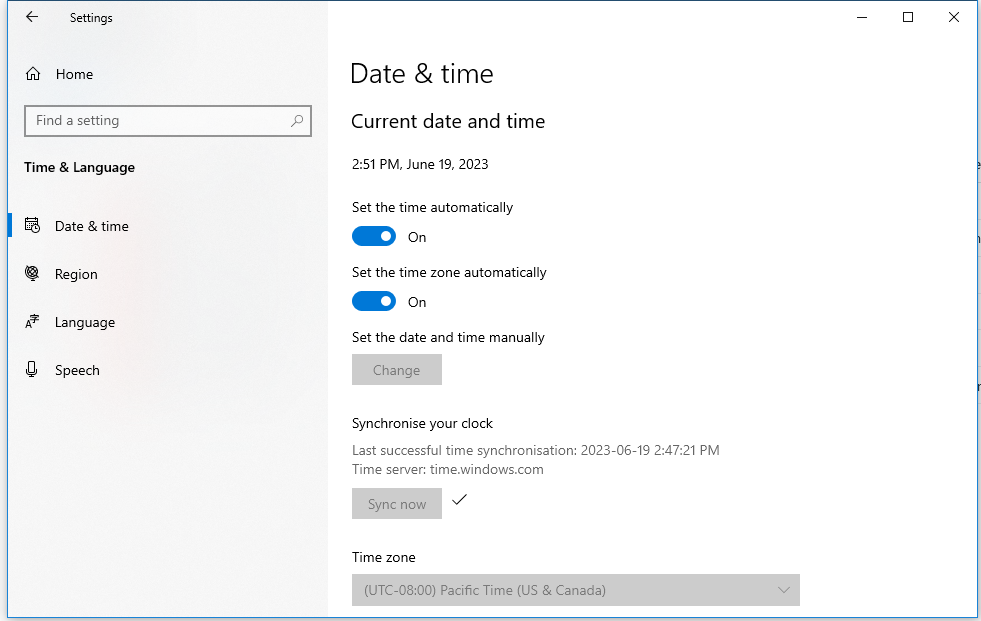
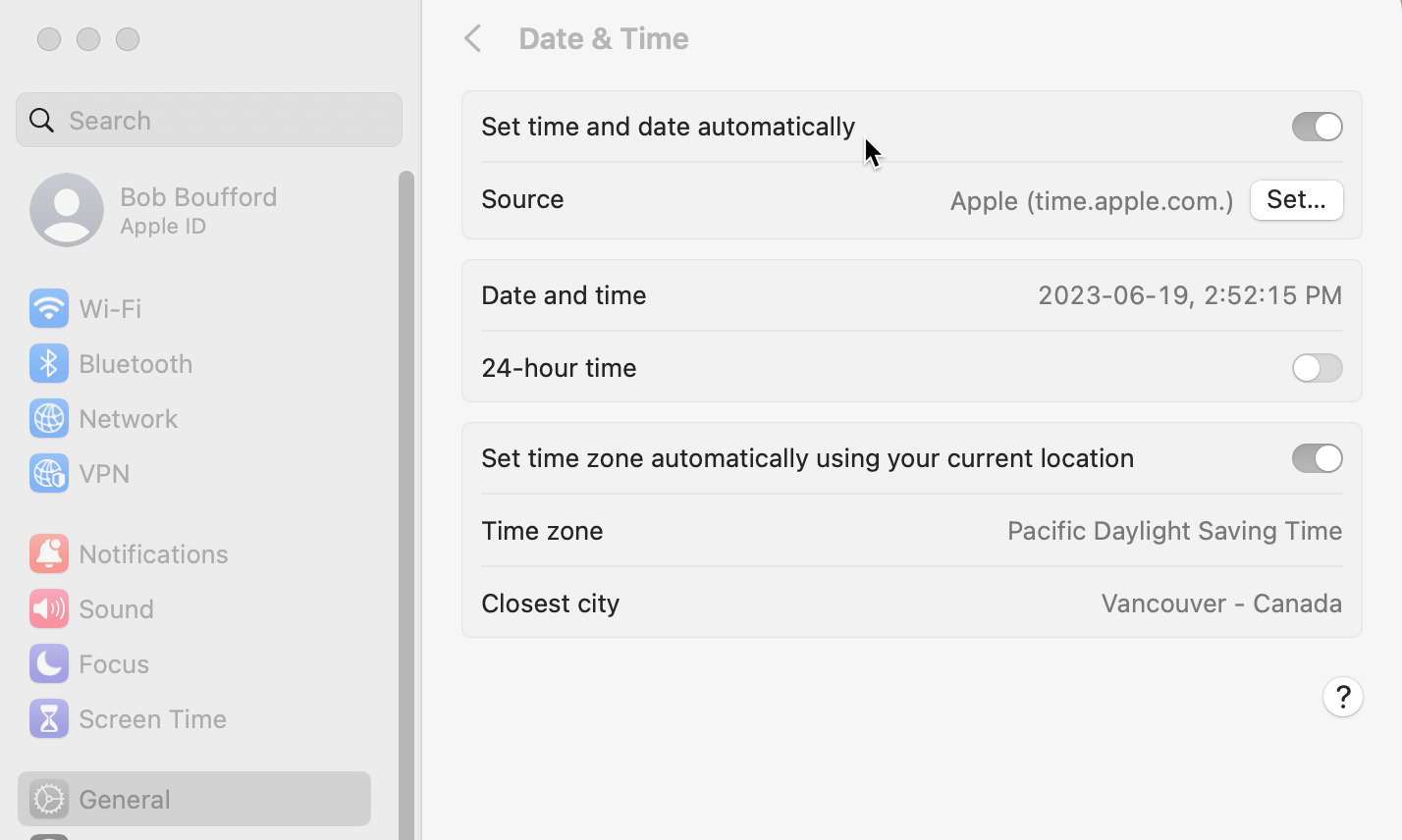
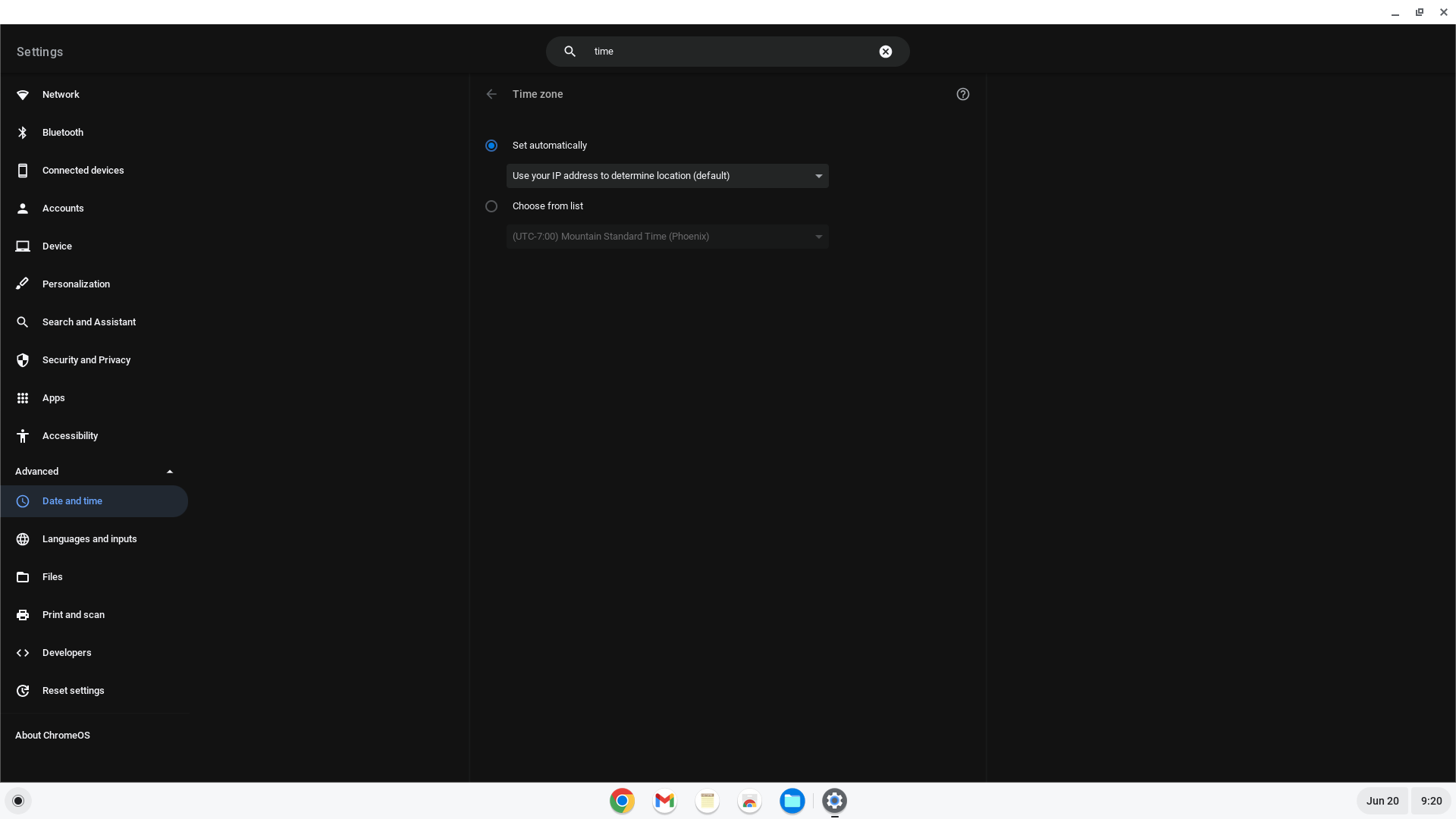
We strongly recommend that you go into your device's systems settings, and enable the time and time zone to be set automatically.
Windows:
Mac:
Chromebook:
These links may also assist you, but for further help please contact the operating system manufacturer or do an online search.
Apple: https://support.apple.com/guide/mac-help/change-date-time-settings-mchlp1124/mac
Windows: https://support.microsoft.com/en-us/windows/how-to-set-your-time-and-time-zone-dfaa7122-479f-5b98-2a7b-fa0b6e01b261
Chromebook: https://support.google.com/chromebook/answer/177871?hl=en