Summary
You can evaluate a learner's assignment submissions from Content even if the learner didn't submit anything to the assignment. As a result, you can assign comments and grades to learners with no submissions (for example, a grade of 0), and to learners who submitted work outside of Brightspace.
Body
Evaluate submissions using the New Content Experience
To evaluate submissions using the New Content Experience (Lessons)
- Navigate to Content.
- Click on the module containing your assignment. Then click on your assignment.
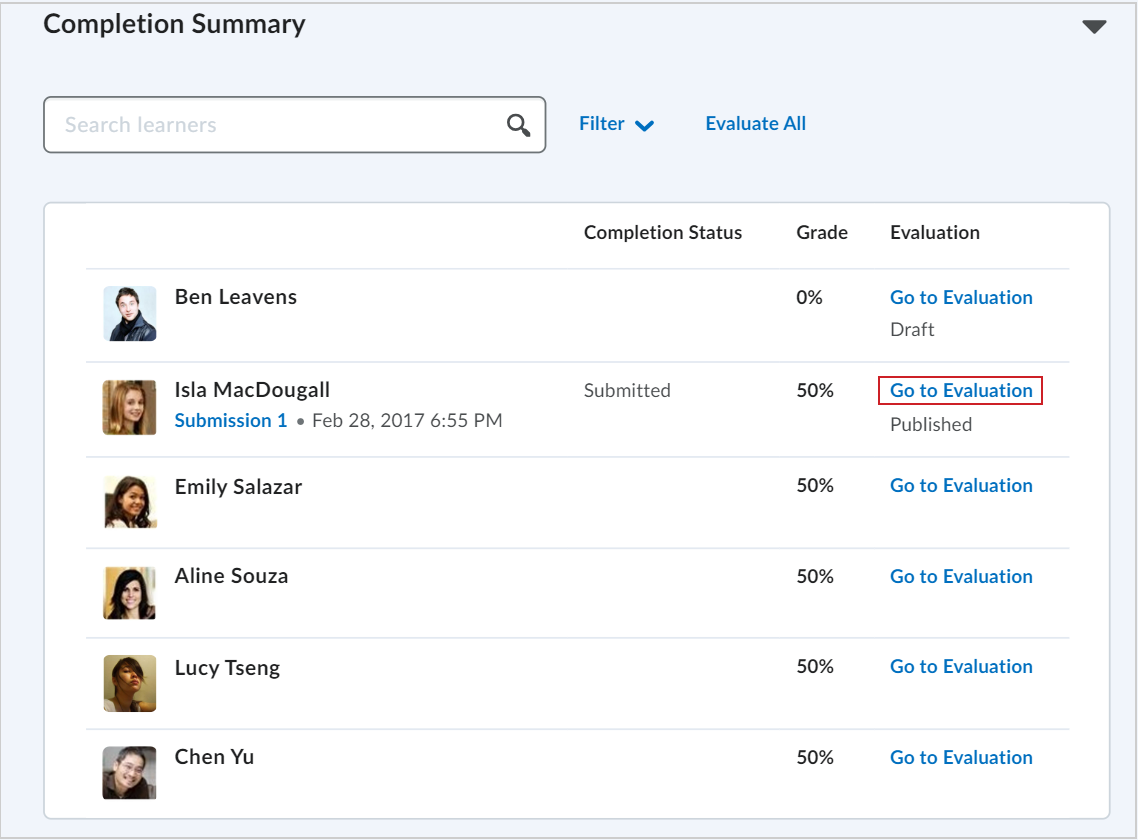
- In the Completion Summary section, click Go to Evaluation for the learner whose assignment you want to evaluate.
- Enter your feedback in the Evaluation area.
- Do one of the following:
- To publish your feedback, click Publish.
- To save your feedback without publishing, click Save Draft.
 |
Note: You cannot publish or save your draft if the Overall Feedback field exceeds 300,000 characters. If the Overall Feedback field exceeds the character limit or if the Grade field contains an invalid grade, a dialog opens and the tooltip There is one or more errors in the information entered appears when you try to save or publish. |
You have evaluated a learner using the New Content Experience.